
Commercial Networking for Montana Businesses
Big Sky Wired designs and installs the wired and wireless networks that businesses actually run on: segmented for security, built for the device count you have, and documented so the next person who touches it knows what is where. We handle everything from a single restaurant's POS network to a multi-building commercial property, with enterprise hardware matched to the job rather than oversold.
Multi-VLAN networks, firewalls, reliable WiFi, and backup internet that keeps you online no matter what.
What We Offer
Enterprise routers, switches, and WiFi access points
Segmented networks with separate VLANs for POS, staff, and guest traffic
Firewall deployment and network security
WiFi design, coverage, and performance tuning
Backup internet: Starlink and cellular LTE failover
Fiber optic ISP integration
Network monitoring and ongoing support
Structured Cat6 and Cat6A cabling (see our structured cabling page)
Perfect For
Offices and professional buildings
Restaurants, bars, and retail
Multi-building and multi-tenant properties
Hotels and hospitality
New construction and remodels
Why It Matters: A solid, segmented network is the backbone for reliable WiFi, smooth POS systems, stable video conferencing, and cloud-based tools. We make sure your infrastructure is clean, labeled, tested, and future-ready.
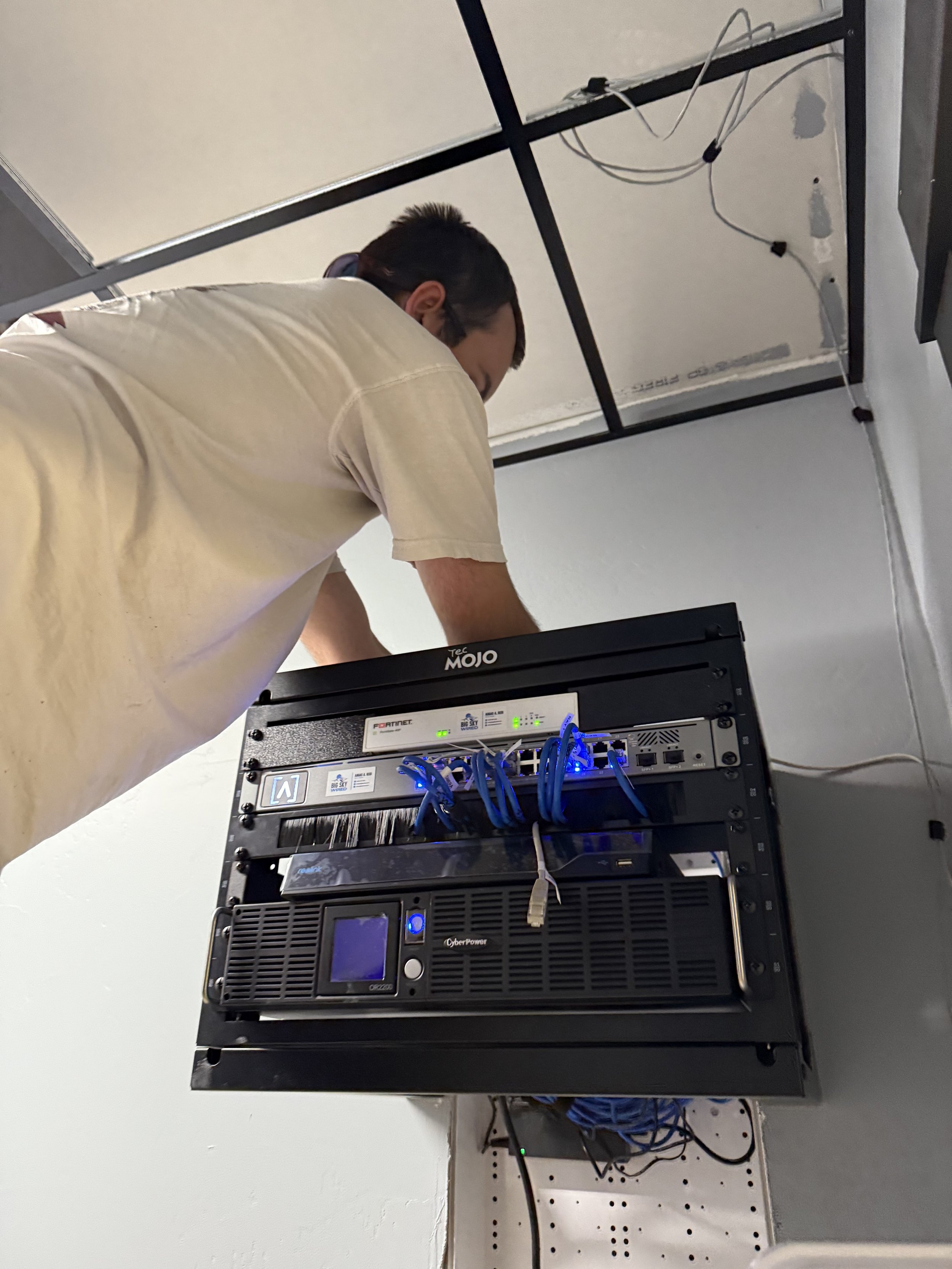
Proven Work: We wired a working branch office for Hardware Hut, a regional hardware supplier, after hours: about 2,700 feet of Cat6, a new wall rack, and WiFi out to the paint area and shipping dock. Read the case study.
How We Scope It Before any number goes out, we confirm three things: what the network needs to do, the device and drop count that drives the work, and where the site is in its construction or remodel timeline. On new construction or multi-trade jobs, we run discovery first so the cabling goes in at the right stage and nothing gets buried behind drywall that should have been pulled first. You get a clear scope, honest pricing, and work that is labeled, tested, and ready for whatever you add next.
What the Job Looks Like
Start with how you use the space. We look at the building, the device count, and what can't go down: POS, phones, cameras, guest WiFi, or all of them.
Design the network on paper first. Firewall, switching, access point locations, and separate networks for staff, guests, payment devices, and building systems, sized for what you have now and what you're adding.
Install and configure. Equipment is mounted, cabled, labeled, and configured on site. Existing devices are moved over with interruptions scheduled ahead of time.
Tune the WiFi in the real space. We check coverage where people actually work, not just next to the access point.
Document and hand off. You get a record of what's installed, how it's set up, and the logins you own. If you want, we stay on to monitor and support it.
Networking and WiFi FAQ
How many access points do I need?
It depends on the walls, the ceiling height, the square footage, and how many devices connect at once. A metal building or a stone wall changes the answer more than size does. We figure it out on a walk, not from a floor area guess.
Can you work with the equipment we already have?
Often, yes. We assess what's there and tell you plainly what's worth keeping and what's holding the network back. We'd rather reuse good hardware than sell you a new rack you don't need.
What brands do you install?
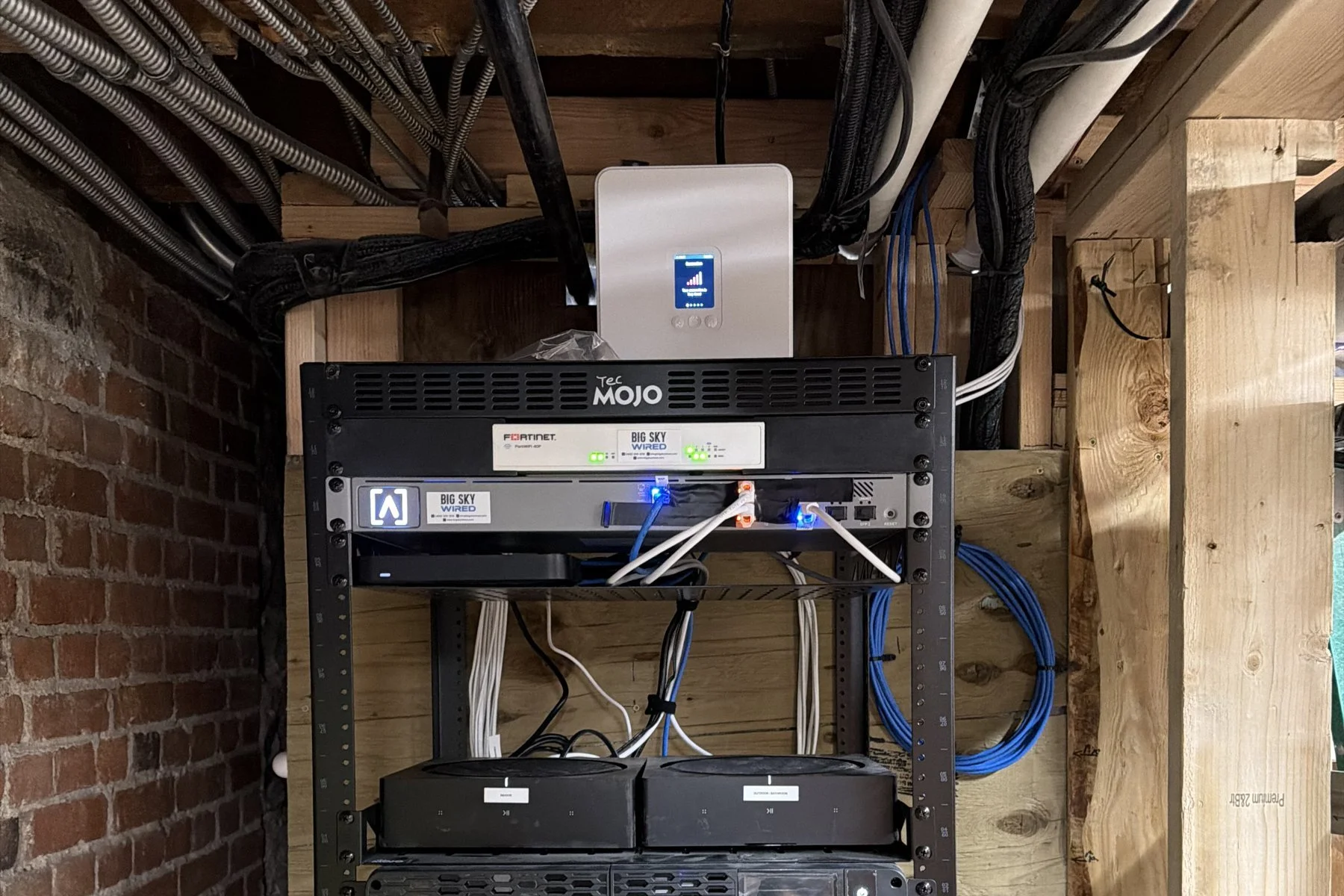
Fortinet firewalls, Alta Labs and Ubiquiti UniFi switching and WiFi, and Starlink or cellular for backup internet. If your company already has a hardware standard, we install to it.
Why separate networks for guests, staff, and devices?
So a guest's phone or an unpatched smart TV can't see your office computers or your payment terminals. Separate networks also make problems easier to track down, because each kind of traffic lives in its own space.
What happens when the internet goes down?
With failover in place, a second connection (cellular or Starlink) takes over automatically and switches back when your main line returns. Most staff never notice it happened.
Do we own the equipment and the logins?
Yes. You own your equipment and your accounts. We document the setup so you or anyone you hire later can work on it.
Local, Trusted & Done Right We are based in Bozeman and serve businesses across the Gallatin Valley, Big Sky, Livingston, and beyond. No shortcuts, no mess, just precise installs that work.
Not sure what you have? Text a photo of your network closet to 406-209-8118 and we will tell you what we see.
For offices, shops, and job sites
WiFi That Covers the Whole Building.
Dead zones in the back office, a guest network that can see your computers, an outage that stops the day. We design the network around how your building actually works, then install it clean.
Coverage Planned, Not Guessed
Access points placed for your walls, ceilings, and device count, not a floor-area rule of thumb.
Separate Networks for Everything
Staff, guests, cameras, and payment devices each on their own network, so one problem stays contained.
A Real Business Firewall
Fortinet firewalls set up and monitored, not a consumer router in a closet.
Backup Internet That Takes Over
Cellular or Starlink failover switches on automatically when your main line drops.
Every Run Labeled
Rack, ports, and cables labeled and documented, so whoever touches it next knows what is there.
You Own It
Your equipment, your accounts, your logins. We document the setup so you are never locked in.
Ready for WiFi That Just Works?
Tell us how your space is laid out and what keeps dropping, and we will come back with a plan.